
SMART on FHIR OAuth 2.0: Implementation Guide
Post Summary
SMART on FHIR simplifies how healthcare apps securely access EHR data. It builds on OAuth 2.0, addressing gaps like endpoint discovery, scope semantics, and token management. By standardizing these processes, it reduces integration complexity and enhances security.
Key takeaways:
- OAuth 2.0 Core: Delegates access securely without sharing credentials.
- SMART Scopes: Precise permissions tied to FHIR resources (e.g.,
patient/Observation.read). - Launch Workflows: Supports EHR-embedded or standalone app launches.
- Dynamic Registration: Simplifies onboarding with automated client setup.
- Security: Requires PKCE, short-lived tokens, and CSRF protection.
This framework ensures apps access only necessary data while maintaining robust security. It’s essential for healthcare organizations aiming to meet compliance and streamline interoperability.
What is SMART on FHIR?
sbb-itb-535baee
SMART App Launch Framework
The SMART App Launch Framework outlines two main methods for connecting apps to Electronic Health Record (EHR) systems: EHR Launch and Standalone Launch.
In an EHR Launch, the app starts within an active EHR session. The EHR opens the app's launch URL and provides parameters like iss (the FHIR server URL) and launch (a context handle), allowing the app to inherit the session's context. On the other hand, a Standalone Launch begins independently, such as from a mobile app's home screen. In this case, the app must locate the EHR's authorization endpoints and request context during the authorization process. Often, it uses the launch/patient scope to prompt the user to select a patient.
Launch Workflows Explained
The choice between the two workflows depends on the app's purpose. Use EHR Launch for tools embedded in a clinician's workflow, while Standalone Launch is better suited for patient-facing or independent apps. Both workflows rely on the .well-known/smart-configuration endpoint for discovery. This endpoint allows apps to programmatically retrieve a server's authorization URLs and supported features.
Authorization codes generated during the launch process are short-lived, typically expiring within about one minute [4][1]. To secure these codes, PKCE (S256) must be implemented, and all sensitive data must be transmitted over TLS-secured channels [4][6]. These workflows also set the stage for dynamic client registration, which is covered next.
Dynamic Registration and Conformance
The SMART framework builds on OAuth 2.0 principles to secure app launches. It recommends using the OAuth 2.0 Dynamic Client Registration Protocol for standardized onboarding. Apps must register with fixed redirect URIs, and confidential clients should use asymmetric authentication (private key JWT) instead of symmetric methods, which involve shared secrets.
To further enhance security:
- Limit the scopes requested to only what’s necessary.
- Include a
stateparameter in authorization requests with at least 122 bits of entropy to guard against cross-site request forgery attacks [4][6].
These measures ensure a secure and reliable registration process while preparing the app for FHIR compatibility.
FHIR Compatibility Requirements
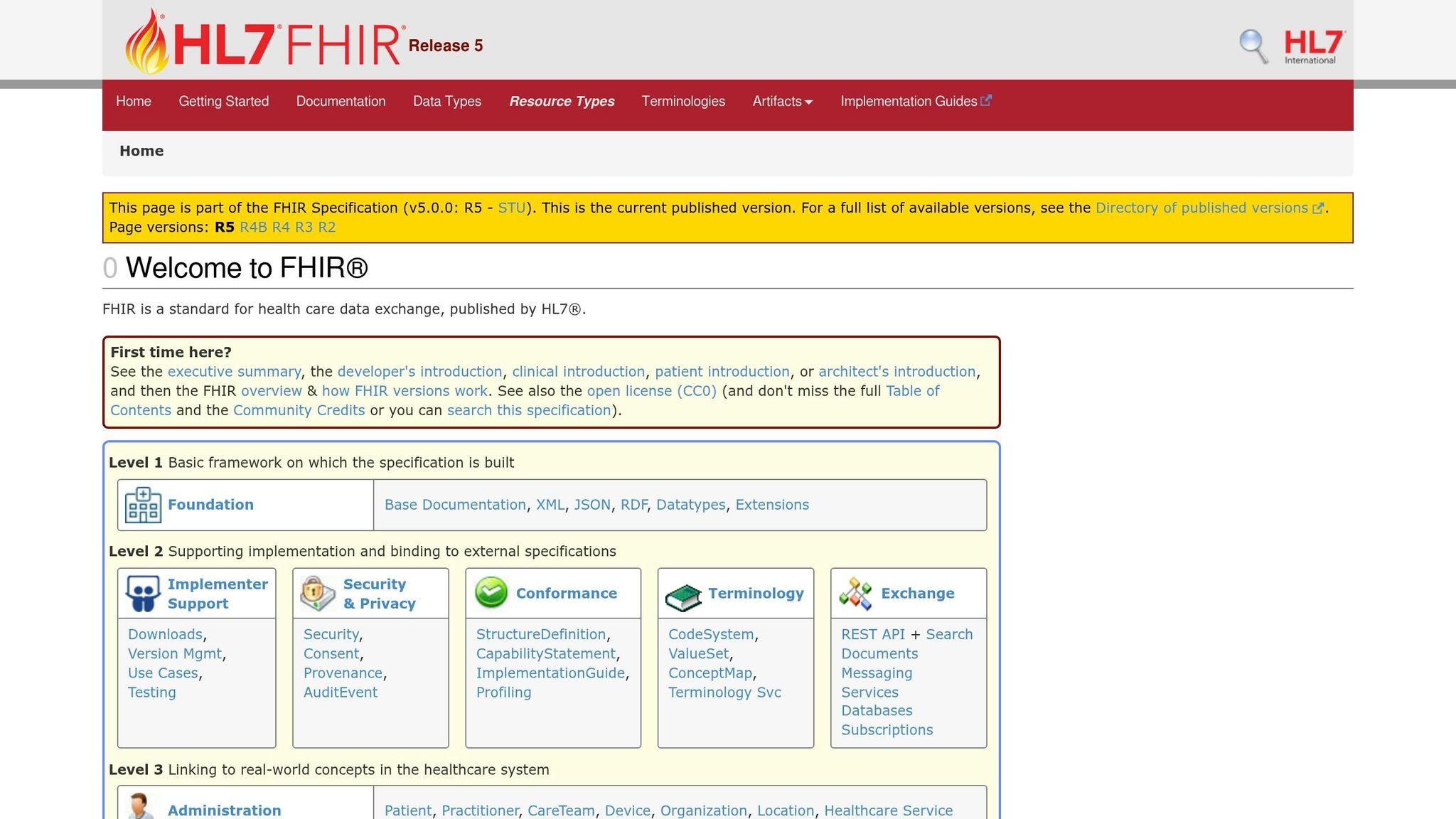
SMART works with FHIR R2 (DSTU2) and all later versions. However, developers are encouraged to focus on FHIR R4 and R4B, as the current guidance provides detailed support for these versions.
For browser-based apps, FHIR servers must enable Cross-Origin Resource Sharing (CORS) for public discovery endpoints and token/API endpoints. Additionally, include an aud parameter that matches the EHR server URL to prevent token misuse [4][7].
Other best practices for token management include:
- Ensuring access tokens have a maximum lifespan of one hour [4][1].
- Avoiding the storage of bearer tokens in cookies transmitted as clear text or in publicly accessible locations [4][1].
These FHIR compatibility requirements complete the framework, ensuring a secure and efficient integration process.
OAuth 2.0 Authorization Code Flow
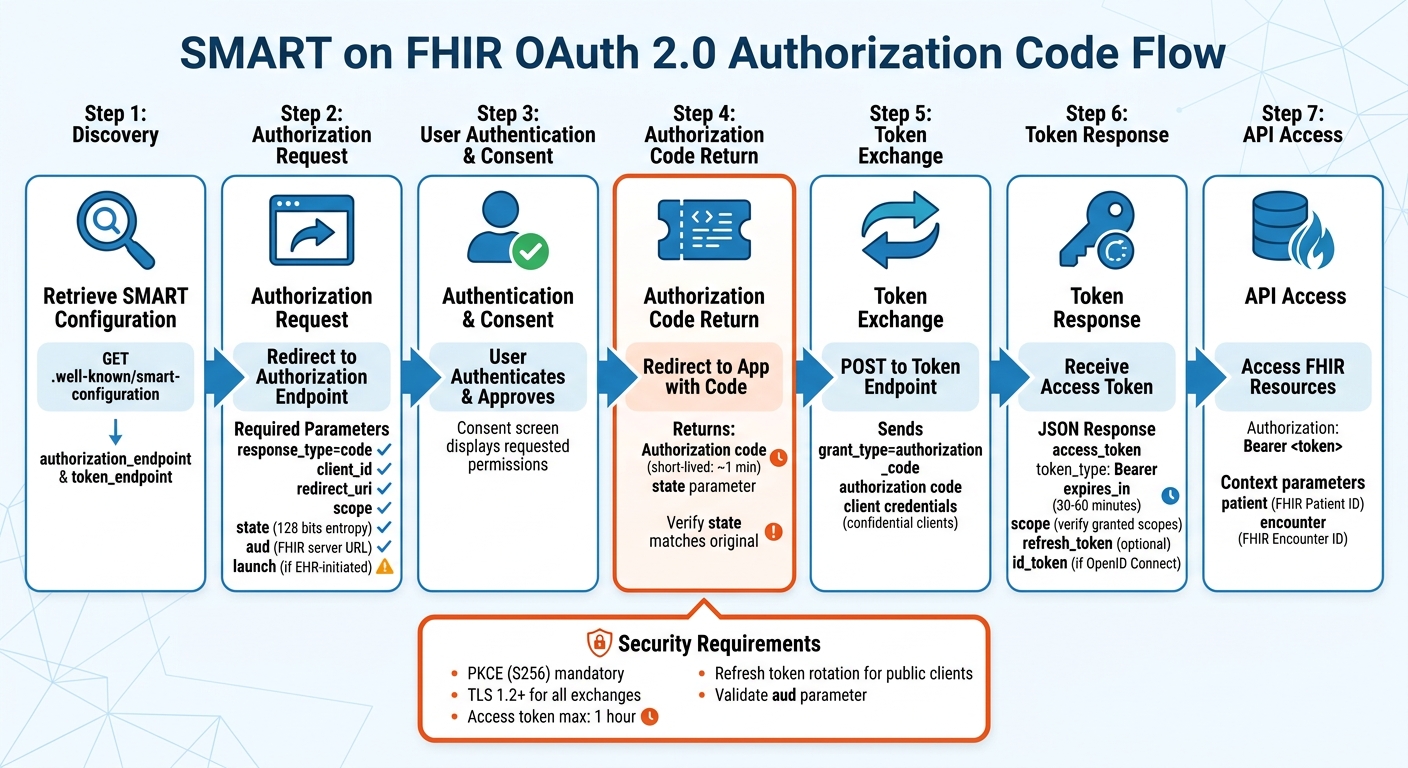
OAuth 2.0 Authorization Code Flow for SMART on FHIR Applications
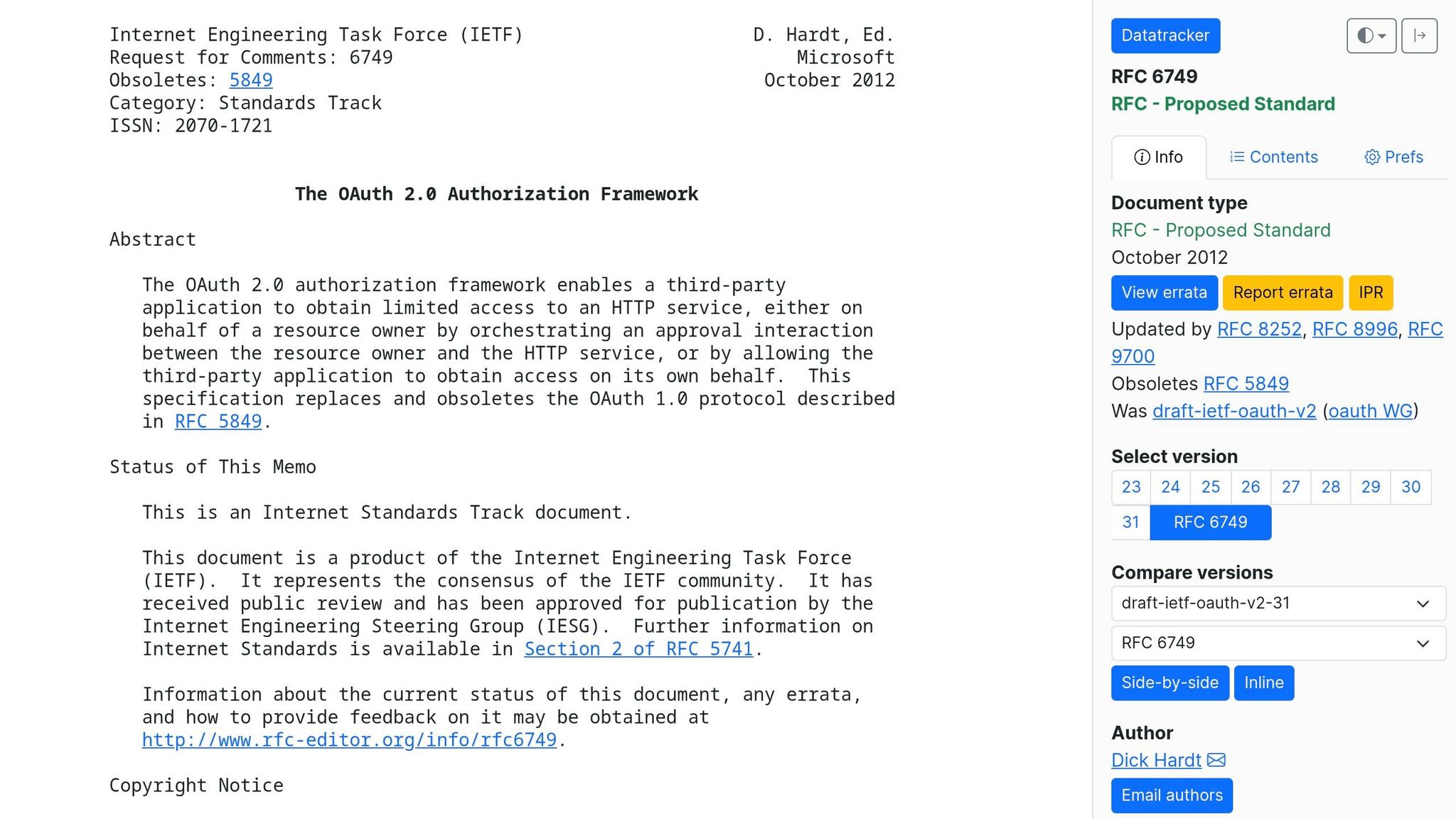
Building on the launch and dynamic registration processes, this section explains the secure token exchange mechanism. The OAuth 2.0 Authorization Code Flow is designed to keep access tokens out of the browser while securely authenticating users for clinical data access.
Start by retrieving the SMART configuration from .well-known/smart-configuration to find the authorization_endpoint and token_endpoint. Your app will then redirect the user's browser to the authorization endpoint with these required parameters: response_type=code, client_id, redirect_uri, scope, state, and aud (the FHIR server URL). If it's an EHR-initiated launch, include the launch token parameter as well.
Once the user is authenticated by the authorization server, they may see a consent screen displaying the requested permissions. After approval, the server redirects to your app's redirect_uri with a short-lived authorization code and the original state value. It's crucial to verify that the returned state matches the one sent (with 128 bits of entropy) to prevent CSRF attacks.
Next, your app sends an HTTP POST request to the token_endpoint, using grant_type=authorization_code and including the received code along with client credentials (for confidential clients). The server responds with a JSON object containing an access_token, token_type (Bearer), expires_in, and the authorized scope. It may also include a refresh_token and an id_token (for OpenID Connect). Your app then uses the access token in the HTTP Authorization header (e.g., Authorization: Bearer <token>) to access clinical data from the FHIR resource server.
Authorization Code Flow Steps
The following parameters are mandatory for the authorization request. Keep in mind that the redirect_uri must exactly match the pre-registered URI for your app - even small differences like a trailing slash or query parameter can cause the request to fail. The aud parameter ensures security by preventing "token redirect" attacks, where tokens could be leaked to counterfeit servers. It must always contain the base URL of the target FHIR server.
| Parameter | Requirement | Description |
|---|---|---|
response_type |
Required | Set this to code. |
client_id |
Required | The app's registered client identifier. |
redirect_uri |
Required | Must match the pre-registered URI for the application. |
scope |
Required | Space-separated list of requested permissions (e.g., patient/*.read launch). |
state |
Required | An unpredictable value to maintain state and prevent CSRF. |
aud |
Required | The FHIR server's base URL. |
launch |
Conditional | Required for EHR launch flows to provide context. |
When the server returns the authorization code, it may also include launch context parameters like patient (the FHIR Patient ID) or encounter (the FHIR Encounter ID) to provide session context.
Managing Access and Refresh Tokens
Access tokens usually expire within 30–60 minutes to reduce risk. The expires_in value in the token response specifies how many seconds the token remains valid. To maintain access, monitor this value and use refresh tokens to renew access before expiration.
"The use of refresh tokens eliminates the need for the authorization server to issue an access token with a long lifetime, thus reducing the risk of undesired access and use." - SMART Health IT [2]
Refresh tokens come in two types: online access and offline access. The online_access scope provides a refresh token valid only while the user remains logged in to the EHR system. On the other hand, the offline_access scope allows for long-lived refresh tokens, which can remain valid for at least 90 days, even after the user logs out [9]. For enhanced security, use online_access unless your app needs to function when users are offline.
For public clients, such as mobile or single-page apps, authorization servers should implement refresh token rotation, where a new refresh token is issued with every refresh request. This helps detect potential breaches. Always store tokens securely - use server-side sessions, encrypted cookies, or mobile Keychains. Never store tokens in browser local storage or other easily accessible locations. Healthcare organizations can further strengthen security by using solutions like those offered by Censinet (https://censinet.com).
Next, you'll need to configure SMART scopes to limit access to only the necessary FHIR resources.
Requesting SMART Scopes
SMART scopes use a specific syntax: <patient|user|system>/<fhir-resource>.<interactions>[?param=value]. The first part defines the access level:
patient/grants access to data for a single patient in context.user/provides access to any data the current user can see.system/is for backend services that operate without a user.
The shorthand for interactions includes: c (create), r (read), u (update), d (delete), and s (search). For example:
patient/Observation.rsrequests read and search permissions for observations related to the current patient.user/Appointment.crudsrequests full access to appointments visible to the user.
Using granular scopes, you can limit access to specific subsets of resources. Instead of requesting broad access with patient/Observation.rs, you could request patient/Observation.rs?category=vital-signs to access only vital signs. This aligns with the principle of least privilege - request only what your app genuinely needs. However, keep in mind that some browsers impose a 32kB limit for GET-based authorization requests. If you're specifying many granular scopes, consider using POST-based requests [10].
The authorization server may grant only a subset of the scopes you request. Always check the scope field in the token response to confirm your actual permissions - don’t assume you received everything you asked for. Broad requests like patient/*.rs (which include all current and future resource types) may trigger stricter consent warnings [11].
Security Best Practices
When it comes to clinical application security, the goal is clear: protect sensitive patient data by ensuring only authorized users have access. After setting up scopes and understanding token flows, it's essential to implement strong security measures to guard against unauthorized access.
SMART Scopes and Client Profiles
Requesting specific resource scopes, such as patient/Observation.rs?category=vital-signs, helps enforce the principle of least privilege. This approach limits data exposure in case a token is compromised.
"As a best practice, clients are encouraged to request only the scopes and permissions they need to function and avoid the use of wildcard scopes purely for the sake of convenience." - HL7 SMART App Launch Guide [11]
The type of client your application uses determines how it handles authentication. For confidential clients (like server-side apps), securely storing credentials is possible, so you should use client secrets or asymmetric keys for authentication. On the other hand, public clients (such as mobile or single-page apps) can't safely store secrets. Instead, they should rely on techniques like PKCE (Proof Key for Code Exchange).
In May 2022, Epic Systems introduced an OAuth 2.0 workflow for public apps that uses public-private key cryptography to bind tokens to devices. Spearheaded by Adam Strickland, this method requires apps to register a public key (JWKS) via a trusted dynamic client registration endpoint. This setup ensures private keys never leave the device's secure storage, protecting against cross-site scripting (XSS) attacks [13].
Once client-specific controls are in place, the next step is verifying user identity through OpenID Connect.
OpenID Connect for User Authentication
OAuth 2.0 handles data access, but OpenID Connect (OIDC) is what confirms user identity. By including the openid and fhirUser scopes in your authorization request, the ID token's fhirUser claim will point to a FHIR resource URL that represents the authenticated user (e.g., Patient, Practitioner, or RelatedPerson) [11].
During the COVID-19 pandemic, BioReference Laboratories used OIDC to simplify secure data access. This allowed patients to connect and access their data across platforms without compromising security. Vinny Pacione, Vice President of Consumer Technology and Digital Solutions at BioReference Laboratories, shared:
"I don't ever have to worry about security or user access. I have Auth0." [16]
To verify signed tokens, use JSON Web Key (JWK) endpoints, and keep token claims minimal. Avoid including sensitive patient details directly in token payloads [16].
Token Security Best Practices
To reduce risk, limit access tokens to a 1-hour lifespan and refresh tokens to a maximum of 1 year for offline access [2]. This reduces the time window an attacker could exploit a stolen token. Authorization servers should strictly bind refresh tokens to the clients they were issued to, verifying this connection with every refresh request [2].
For public clients, refresh token rotation is crucial. This process involves issuing a new refresh token every time an access token is refreshed. If a refresh token is reused, the server should immediately expire the app's authorization, signaling a potential security breach [2][12].
Always conduct token exchanges over TLS 1.2 or higher using NIST-approved ciphers [2][15]. To prevent token redirect attacks, include the aud parameter, and use a state parameter with 128 bits of entropy to guard against CSRF [2].
For added security, bind refresh tokens to device-specific asymmetric keys using DPoP (Demonstrating Proof-of-Possession). This method not only protects against XSS attacks but also reinforces secure, device-specific token binding [12][14].
| Security Measure | Implementation Strategy | Target Threat |
|---|---|---|
| TLS 1.2+ | Encrypt all traffic with NIST-approved ciphers | Man-in-the-middle (MITM) |
aud Parameter |
Validate resource server URL during authorization | Token phishing/redirect |
state Parameter |
Use 128-bit entropy values in auth requests | CSRF attacks |
| Token Rotation | Issue new refresh tokens on every use | Token theft/misuse |
| DPoP / Hardware Binding | Associate tokens with device-bound keys | Cross-site scripting (XSS) |
To take security even further, healthcare organizations can adopt comprehensive risk management solutions, like those provided by Censinet (https://censinet.com). These tools are designed to address risks tied to patient data, PHI, and clinical applications, helping organizations maintain a strong security posture.
Common Implementation Challenges and Solutions
Even with a strong grasp of security best practices, developers often run into practical obstacles when implementing SMART on FHIR OAuth 2.0. These hurdles can range from managing token lifecycles to ensuring users have the right access based on their roles.
Managing Token Expiration and Refresh
Access tokens generally expire within 30 to 60 minutes, which means apps need a way to maintain session continuity without constantly asking users to log back in [8]. The solution? Refresh tokens. These allow apps to request new access tokens in the background. To make this work smoothly, monitor the expires_in value in the token response and trigger a refresh before the current token expires [8]. However, even a proactive approach won't always work - tokens can be revoked unexpectedly.
"Apps that do not handle refresh token expiration or revocation gracefully break during long user sessions. Always have a fallback path that redirects the user through the full authorization flow."
- Saga IT [8]
Choosing the right scope matters too. For example:
- The
online_accessscope is ideal for clinical apps used during a shift, as it provides a refresh token valid only while the user is active. - The
offline_accessscope works better for patient-facing apps or tools that need long-term access, even after the user logs off [17].
When it comes to storing tokens, security is key. Use server-side sessions, encrypted cookies, or platform-specific secure storage like iOS Keychain or Android Keystore. Avoid browser local storage at all costs [8]. Public clients face extra risks since they can't securely store client secrets, making refresh tokens vulnerable to extraction via cross-site scripting (XSS) [13].
Another challenge? Large scope strings can make access tokens exceed HTTP header size limits (usually capped at 8kB). To avoid this, authorization servers should use condensed scope representations or handles [17][18].
Once token management is under control, the next step is ensuring access aligns with user roles.
Implementing Role-Based Access Control
SMART scopes help define permissions, but they’re only as effective as the system policies and user permissions they’re built on [11]. A practical approach is to define basic roles in your identity provider (IdP) that map to SMART scopes. Then, group these into composite roles that match job functions. For instance, a Lab Technician role might include user/Observation.rs?category=laboratory&status=final [19].
In April 2026, Health Samurai demonstrated this approach with Keycloak and Aidbox. They showed how "Dr. Sarah" (a physician) and "Mike" (a lab technician) could call the same GET /fhir/Observation endpoint but get different results. The lab technician only saw finalized lab results, while the physician had access to all observations, including vital signs [19].
"Implementing this kind of fine-grained access control traditionally requires complex application-level logic... There's a better way: a standards-based approach that leverages your existing identity provider and requires zero custom authorization code in your application."
- Health Samurai [19]
To make this work, configure your IdP to resolve composite roles into a single scope claim in the JWT access token. Include the atv: "2" claim to indicate SMART v2 scope processing [19]. The FHIR server then enforces these scopes, filtering search results or rejecting unauthorized write operations based on the token's permissions [11][19].
Error Handling and Debugging
After securing token storage and role-based access, robust error handling is essential for catching misconfigurations early. This complements token and access management while reinforcing overall security.
Always verify the granted scopes in the access token response before accessing FHIR resources - don’t assume all requested scopes are approved [3]. To prevent Cross-Site Request Forgery (CSRF), generate a state parameter with at least 122 bits of entropy for each session and validate it upon return to the redirect URL [20]. Additionally, all SMART apps must support Proof Key for Code Exchange (PKCE) using the S256 method to protect against authorization code interception [20].
For GET requests with many scopes, consider switching to POST-based requests to avoid browser URL length limits [17].
When troubleshooting, the FHIR AuditEvent resource can be invaluable. It logs security and privacy-related events, helping you pinpoint the root cause of authorization failures or detect intrusions [15]. Apps should also retrieve the .well-known/smart-configuration document to locate the correct authorization_endpoint and token_endpoint, ensuring they connect to the right server [20].
Finally, when returning errors, be cautious. Use a 404 response to obscure whether a resource exists and a 403 when a user is authenticated but lacks permission. Avoid exposing internal server details in error messages [15].
Conclusion
Key Takeaways
SMART on FHIR takes the flexibility of OAuth 2.0 and molds it into a healthcare-centered protocol. By standardizing elements like endpoint discovery (.well-known/smart-configuration), scope syntax (e.g., patient/Observation.rs), and token responses, it reduces the complexity that previously required developers to create custom solutions for each partner [5].
Security is at the core of SMART on FHIR. Features like mandatory PKCE (S256), a state parameter with at least 128 bits of entropy, short-lived access tokens, and validated aud parameters work together to protect against threats such as interception and CSRF attacks [1][2].
The framework supports two main workflows. The SMART App Launch pattern is designed for user-facing apps, where users authenticate and provide consent. On the other hand, the SMART Backend Services pattern facilitates system-to-system interactions using client credentials and asymmetric JWT-based authentication. Both patterns enforce precise access control by tying permissions to specific FHIR resource types, ensuring a secure exchange of information.
These elements collectively set the stage for secure and compliant use of SMART on FHIR.
Moving Forward with Implementation
With its well-defined benefits and security features, the next step is bringing SMART on FHIR into action within your system. For healthcare organizations, adopting SMART on FHIR should be seen as a critical infrastructure upgrade rather than an optional improvement. Transitioning to private key JWTs for confidential clients reflects best practices today [5]. For entities involved in TEFCA, integrating UDAP is mandatory for QHIN certification, enabling certificate-based trust and dynamic client registration [5].
Start by implementing the discovery endpoint for dynamic configuration. Shift to granular scopes that use search parameters to enforce minimal privilege access and align with US Core and HTI-1 requirements [3]. Use short-lived access tokens and the online_access scope for refresh tokens to minimize risks [2]. Additionally, validate the aud parameter, securely store tokens, and provide clear, user-friendly consent screens that explain data access in plain language [14].
With CMS regulations and the HTI-1 final rule now mandating specific SMART capabilities, adopting these standards is becoming a compliance necessity for certified systems [3]. Following these practices ensures smooth interoperability across the healthcare ecosystem.
For organizations aiming to strengthen cybersecurity alongside SMART on FHIR implementation, Censinet offers specialized risk management solutions tailored to healthcare needs.
FAQs
When should I use EHR Launch vs Standalone Launch?
When your app is launched from within an EHR system, use EHR Launch. This approach allows you to securely access specific patient or encounter data, leveraging context-aware parameters like patient ID or encounter details.
On the other hand, opt for Standalone Launch if your app operates independently of an EHR. This is ideal for tools like patient portals or third-party apps, where no automatic context parameters are passed during the launch process.
How do I choose the right SMART scopes without over-requesting access?
When deciding on the right SMART scopes, it's important to ask for only the data your app genuinely needs to function. Stick to the essential FHIR resources, like patient records or observations, and avoid requesting more than necessary. For launch context and identity information, focus on specific parameters such as launch/patient or user identity scopes. This careful approach not only ensures compliance with security and privacy standards but also helps maintain user trust by limiting unnecessary data access.
What’s the safest way to store and refresh tokens in mobile and browser apps?
When it comes to managing and safeguarding tokens in mobile and browser apps, following SMART on FHIR best practices is essential. For sensitive tokens, secure storage mechanisms like Keychain on iOS or Keystore on Android are highly recommended.
To enhance security further, refresh tokens should be single-use and tied to hardware-backed secrets. They should only be transmitted over TLS-secured connections to prevent interception or misuse. These measures are critical for protecting tokens from unauthorized access and ensuring the safety of clinical data.

